Fan-made · Unofficial · Square profile pictures
GTA 6 PFP Maker: Your Selfie as a GTA 6 Profile Picture
A saved GTA 6 pfp is the same official art thousands of other accounts use. This one is you: upload a selfie, tap Square 1:1, pick a style, and get a GTA 6 style profile picture for Discord, X, Steam, TikTok or Instagram.
1 Add your photo
2 Pick a style
Payment went through and your credits are in.
Payment is still being confirmed. Credits land on their own once it clears.
Recent results
Kept on this device only. The links stop working once the files are deleted, within 24 hours.
Your photo is used only to make this picture. It is sent to an AI provider to be processed and is deleted within 24 hours. Privacy policy
Upload only your own photo, or one the person in it agreed to.
Fan-made. Not affiliated with Rockstar Games.
Which frame to pick for each profile picture
This tool makes two frames, Portrait 9:16 and Square 1:1, and it starts on Portrait. For a profile picture, tap Square 1:1 before you generate, because the frame is part of what gets drawn.
| Where the pfp goes | How it is shown | Frame to pick here | What to know |
|---|---|---|---|
| Discord | Circle | Square 1:1 | Discord lets you zoom and move the picture inside the circle when you upload it. On a dark theme, Neon Night and Five Stars stand out most. |
| X | Circle | Square 1:1 | Personal accounts show the picture as a small circle, so a head-and-shoulders selfie reads best. |
| Steam | Square | Square 1:1 | Steam shows the whole square, so the scene around you, the car, the sun and the palms, stays in view. |
| TikTok | Circle | Square 1:1 | Shown tiny next to every video and comment, so a big, centred face matters more than the background. |
| Circle | Square 1:1 | The corners are cut away by the circle. Keep your face in the middle of the frame. | |
| Phone wallpaper | Tall screen | Portrait 9:16 | Not a pfp, but the same picture works: Portrait fills a phone screen with no crop. |
Why make your own GTA 6 pfp
Search for a GTA 6 pfp and you mostly find the same official artwork and trailer stills, collected on Pinterest boards and wallpaper sites. Save one and your profile looks like thousands of others, and the artwork itself belongs to Rockstar Games.
This GTA 6 pfp maker draws you instead. Upload a selfie and it redraws you in a GTA 6 look: bold-ink comic art, cel-shaded cover art or a night scene made to look like a frame from the game, all in a sunset pink, orange and teal palette. In five of the six styles you get a new pose, outfit and scene; Keep My Background keeps your own. It tries to hold your face, hairstyle and skin tone, so the result reads as you, though an exact likeness is never guaranteed.
Making a GTA 6 profile picture, step by step
- Pick a close, front-facing selfie. Head and shoulders, good light, face sharp. A profile picture ends up tiny, so your face is the part that has to hold up.
- Tap Square 1:1. The tool starts on Portrait 9:16, which is for Stories and wallpapers.
- Choose a style and tap Make my picture. Sign in with Google when asked; the first image each day is free.
- Download it and upload the file as your avatar. Pictures are deleted from this site after 24 hours, so save it first.
The selfie to GTA 6 character guide goes through each step in more detail.
Which GTA 6 filter style makes the best pfp
At avatar size the background shrinks to a few blocks of colour, so pick a style for its colours and mood as much as for its scene.
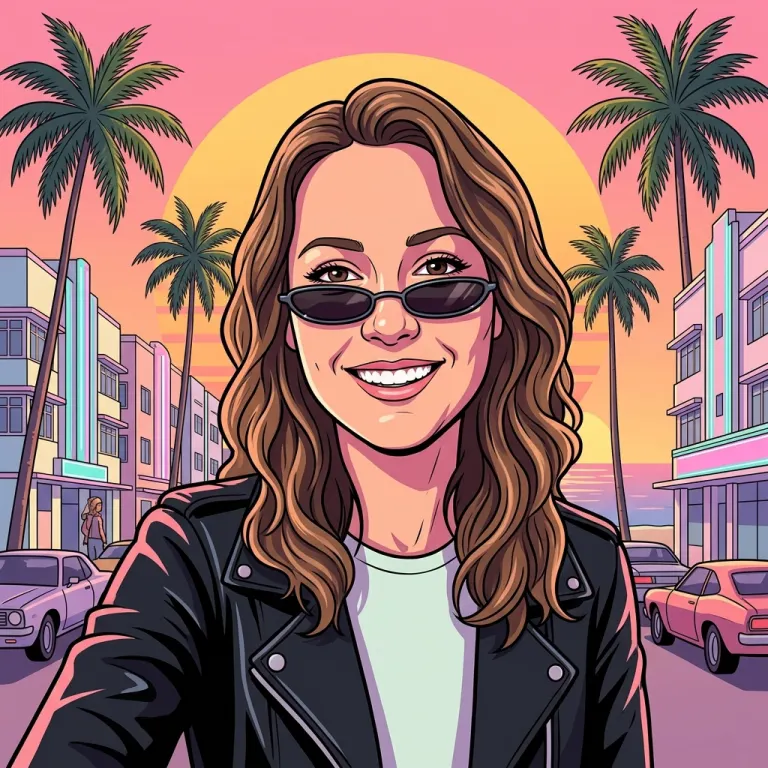 Loading Screen: the classic look, a huge setting sun and pink sky behind you. Bright and easy to spot in a list of names.
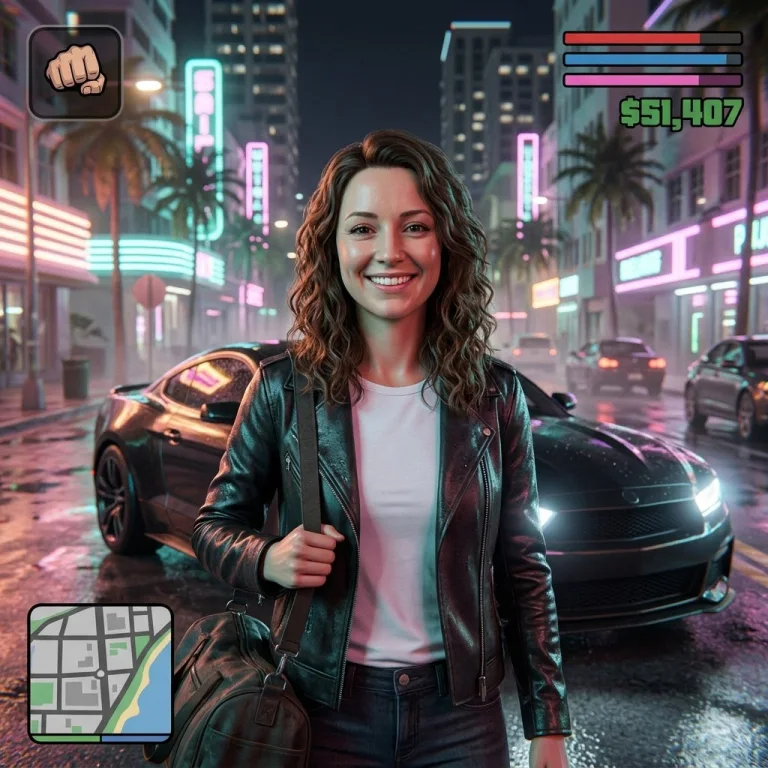 Neon Night: pink and teal neon on a rain-wet street at night. Stands out on dark-mode apps like Discord.
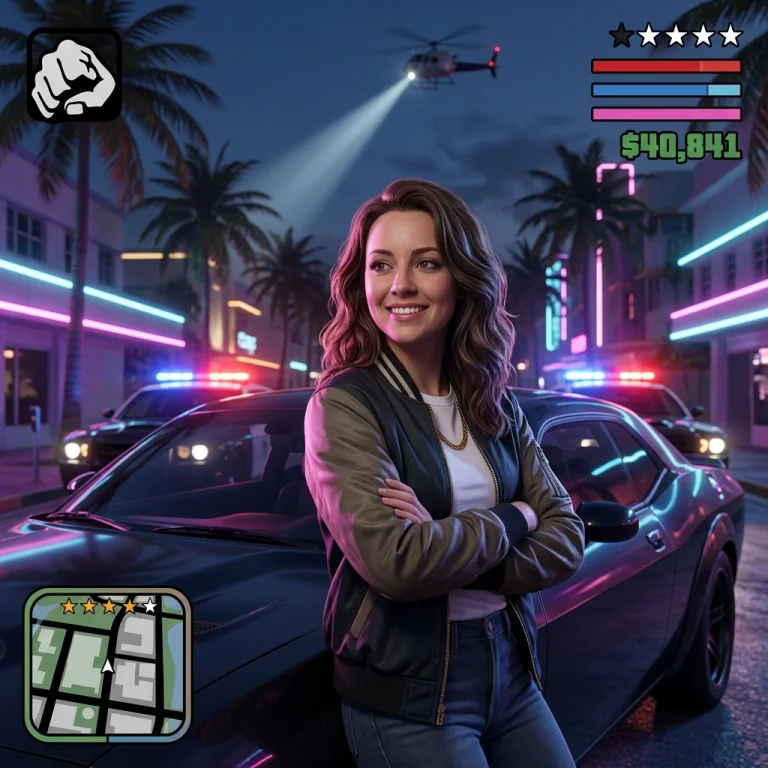 Five Stars: red and blue police lights and a helicopter searchlight, the most dramatic of the six.
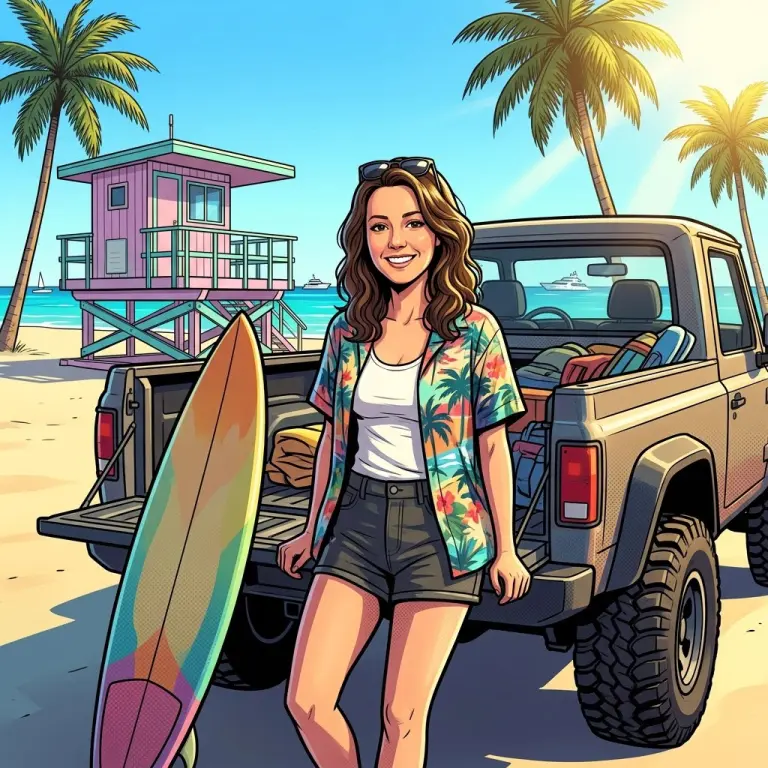 Beach Day: turquoise sea and sand yellow, the sunniest option.
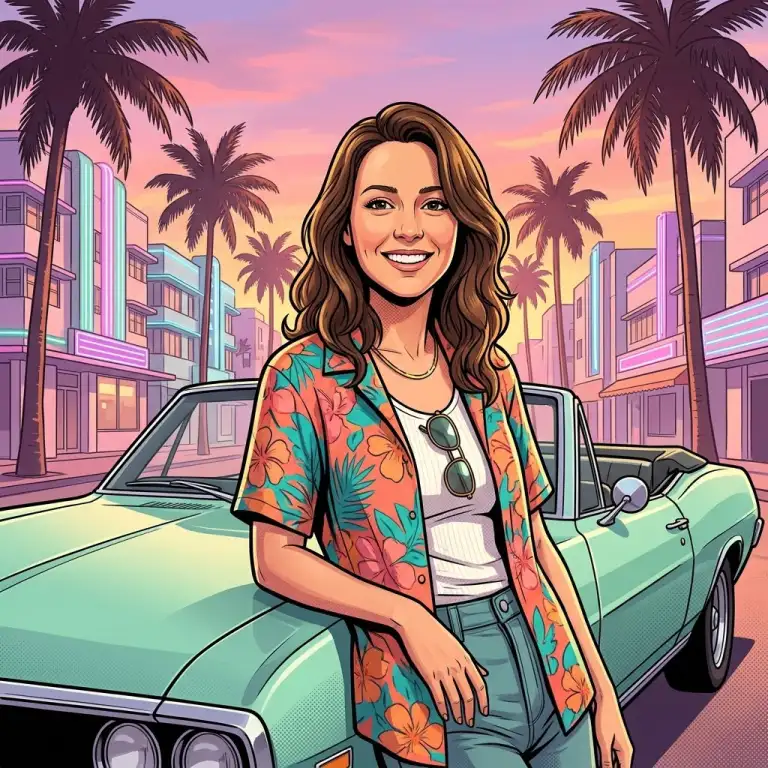 Street Ride: a palm-lined street at golden hour, warm and soft.
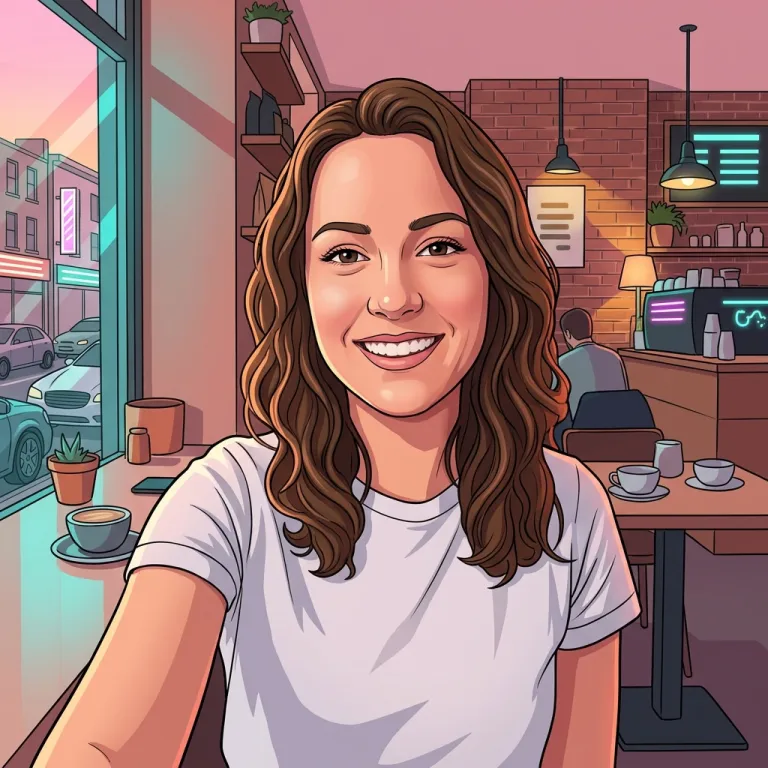 Keep My Background: your own setting, pose and clothes; only the drawing style changes. Pick it when the photo you like is already framed the way you want.
Each square is a full Square 1:1 result from this tool, shown smaller, made from one AI-generated portrait, not a real person. Every run draws a new scene, so yours will look different.
Keeping your face inside the circle
Most apps show a profile picture as a circle, which cuts away the corners of the square. The five restaging styles draw a whole scene around you, often with a car, so part of it sits in those corners and disappears. That is fine: what matters is that your face is near the middle. If it is not, use the app's own crop or zoom when you upload.
A selfie where your face fills more of the frame gives the redraw more detail to keep, and that shows most at small sizes. A distant full-body shot tends to come back with a smaller face that is harder to read as a thumbnail.
Where to change your avatar, app by app
There is nothing to connect and no app to install: the picture is a normal image file, so it goes wherever any photo would.
Use the Square 1:1 file just as it downloads. It is larger than any of these apps shows a profile picture, and each one shrinks it to fit, so there is no size to set and nothing to resize first.
- Discord (desktop): User Settings, then My Account, then Edit User Profile. Choose Change Avatar, pick the file, and drag the circle to frame your face. On mobile: tap your avatar bottom right, then Edit Profile.
- X: tap your avatar and choose Edit profile, then the camera icon next to the picture. Upload the square file; a circle-shaped crop appears, so keep your face centred.
- Steam: Profile, then Edit Profile, then Avatar. Steam keeps the whole square, so nothing is cropped away, which is where the car and the sun part of the scene shows up.
- TikTok: Profile, then Edit profile, then Change photo. It is shown as a small circle next to every comment, so a tight face crop reads best.
- Instagram: Edit profile, then Change profile photo. The avatar is a circle, so the corners of the square are hidden.
One thing worth knowing: some apps cache avatars. If the old picture hangs around for a while, reopen the app or hard-refresh the page and it catches up.
Matching pfps for couples and friends
For matching profile pictures, make each one from its own selfie with the same style and the Square frame, so the colours and the kind of scene line up. Or upload one photo of the two of you and get a single picture with both of you in it; in the restaging styles each person gets their own outfit. Ask the other person before you upload their face.
Free GTA 6 pfp limits
After a Google sign-in you get 1 free image a day, made with the standard AI model, and the count resets the next day. What you download has no watermark, free or paid. For more pictures, credits come in one-time packs or with a plan; while you hold 2 or more bought or plan credits, pictures use the Pro model and use 2 credits each. The pricing page lists the packs and plans.
Your photo and the result are deleted within 24 hours, and what happens to your photo explains each step. Want your portrait on a card with your name and stats? Try the GTA 6 character creator. Posting to Instagram too? The GTA 6 filter Instagram guide covers Stories, Reels and feed posts. And if you would rather have a full-height picture for a wallpaper or lock screen, the GTA 6 loading screen page uses the Portrait frame instead.
GTA 6 pfp FAQ
-
Is this GTA 6 pfp maker free?
Yes, for one picture a day. Sign in with Google and the first image each day is free, with no watermark. More pictures use credits.
-
Can it make me look like Lucia or Jason?
No. It draws you, not a character from the game: your own face, hairstyle and skin tone in the GTA 6 loading-screen look. None of the styles copies a game character or official artwork, and there is no prompt box to ask for one.
-
Will the style change my face?
A little. Every style redraws you from scratch rather than filtering your photo; it tries to keep your face, hairstyle and skin tone, but an exact likeness is never guaranteed. The five scene styles also give you a new pose, outfit and background. For the smallest change, pick Keep My Background: your own pose, clothes and setting stay, and only the drawing style changes.
-
Which frame should I pick for a pfp?
Square 1:1. Apps show profile pictures as a square or a circle, and the square frame keeps the whole picture. Portrait 9:16 is for Stories, Reels and phone wallpapers.
-
What size should a GTA 6 pfp be?
Square, 1:1. Tap Square 1:1 before you make it, then upload the file as it downloads. It is larger than any of these apps shows an avatar, so there is no need to resize it to 1080×1080 or any other exact size first.
-
Does it work as a Discord or Steam avatar?
Yes. Download the picture and upload it like any other image. Discord shows avatars as a circle and lets you zoom and reposition when you upload; Steam shows the whole square.
-
Can I make a GTA 6 pfp on my phone?
Yes. It runs in Safari on iPhone, Chrome on Android or any modern browser, with no app to install. The finished file downloads to your phone like any other picture.
-
Does a GTA 6 pfp have a watermark?
Nothing is added on top: no watermark, no logo and no border, whether the picture came from the free daily image or from credits. Save it after downloading, because pictures are deleted from this site within 24 hours.
-
Can I make a wallpaper instead of a pfp?
Try the GTA 6 loading screen page: pick Portrait 9:16 instead of Square, and the picture fills a phone screen. A run of panels in the same style, one per person, looks like a real loading screen set.
-
Is this an official GTA 6 profile picture?
No. This is a fan-made, unofficial tool, not affiliated with, endorsed by or sponsored by Rockstar Games or Take-Two Interactive. The picture is a new drawing of you, not Rockstar artwork.
This is a fan-made, unofficial GTA 6 filter tool, not affiliated with, endorsed by, or sponsored by Rockstar Games or Take-Two Interactive. Grand Theft Auto and GTA are trademarks of their respective owners. Discord, X, Steam, TikTok and Instagram are trademarks of their owners.